rotating taper parts
Arlin SteinerMay 293 comments
Im not sure that this is a bug, but whatever its worth, I was nesting 150 parts today, some rectangles and some almost rectangles, just had on side tapered off. The auto nest in all settings did not rotate the tapers into each other, it placed the tapers all next to a straight edge, if the program would figure how to rotate them together it would save material.
3 Comments
Can you provide a screenshot of what the results where and a DXF file of the part/s? I might need to add heuristics for those specific cases. For NFP and Skyline do rotate for placement. Skyline might actually place those parts more efficiently by nature than NFP. Did you try "Quick" effort or a custom effort using Skyline?
I'm not sure what you are referring to by skyline, is it something I am missing here on my end? Here is what I got, I tried Quick as well as the other two settings.
Screenshot (12).png
Okay, no worries. There's two primary Nesting Algorithms to work with in JetCad3. Skyline and NFP (No Fit Polygon). Skyline is much simpler and searches a grid while checking rotations and positions along that grid for a collision free placement in a left to right, top to bottom scan. NFP is a genetic algorithm which is much more capable but heavier computationally. NFP "walks" parts around other parts boundaries to produce placement scores before a heuristic pass before final placement. There's custom nesting efforts you where you can set a set of parameters that work well for parts you cut often. There's three default efforts I tuned to be a tradeoff between good placement and speed. Quick is Skyline, Medium and Max are NFP.

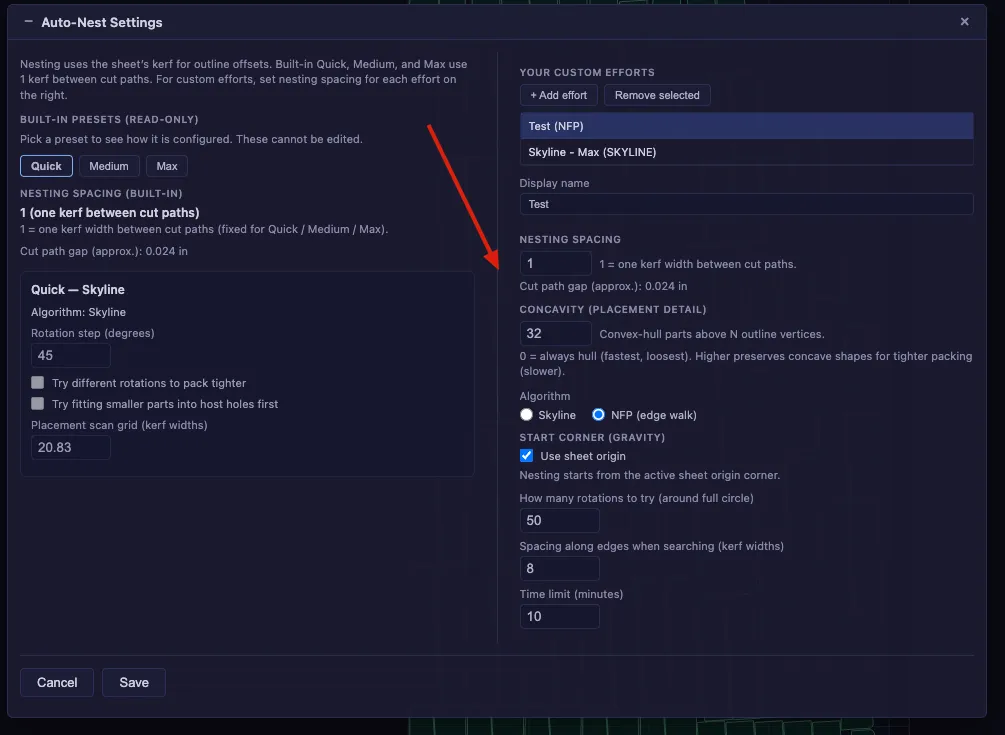
On my list here, Test and Skyline - Max where custom efforts where I tried a few parameter changes to to find better placement for your supplied triangular parts. The default efforts are well tuned for complex parts that don't naturally fit together well. But with some tuning you can find higher material utilization.
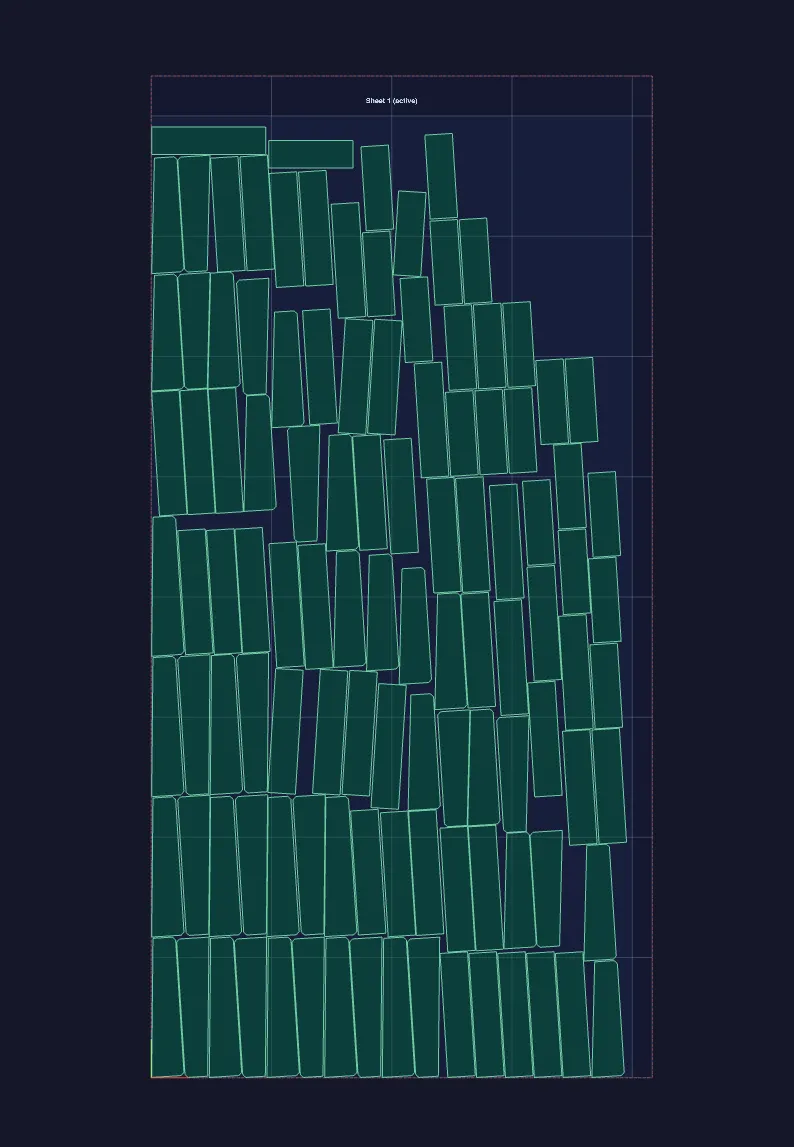
I got this placement with these parameters
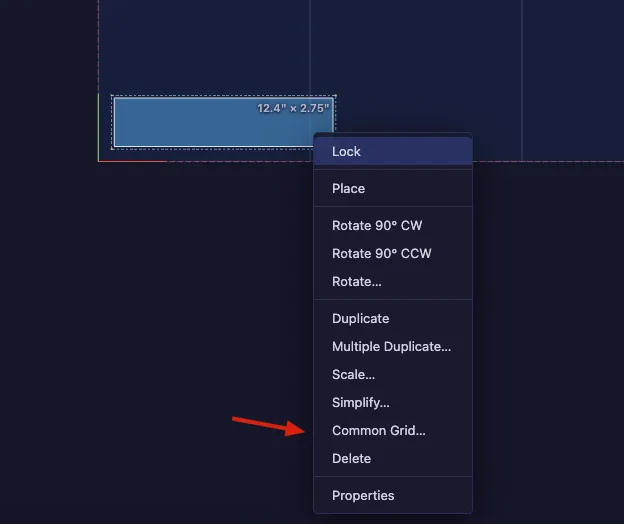
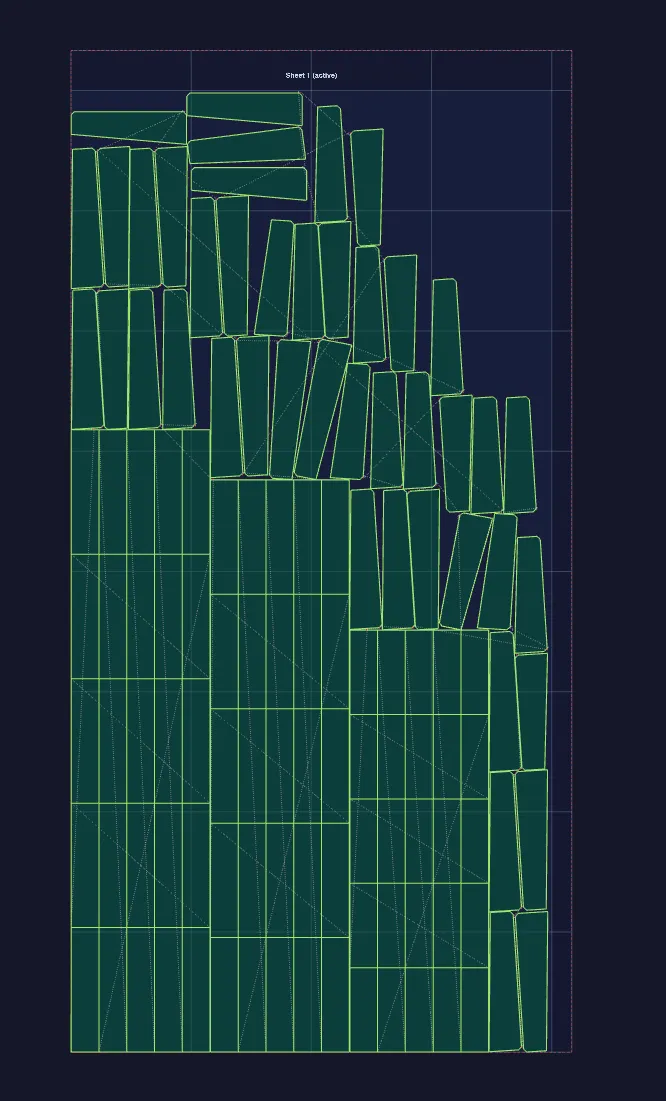
One suggestion I have is that if you're looking for absolutely maximum material savings, Common Grid your rectangular parts so that the parting of those parts are a "Common Line". Then nest your triangular parts around them with autonest
I don't know what your actual part counts are for each but I've got 120 parts here on a 4x8 sheet and could probably get another 12 or so of the triangular parts.
Let me know if this was helpful for you. I don't think there's a bug here so I'm gonna mark this as close but you're more than welcome to continue commenting after it's closed.
Sign in to leave a comment or vote.
Sign In