Drawing Dimension Box
Arlin SteinerMay 1814 comments
In Alibre (and other parametric software) when I draw for example, a rectangle or circle, the minute i select a center point it comes up with a dimension box where I can plug in the size I want the shape to be. In playing around with Jetcad it did not do that for me, am I missing the obvious or is it not there yet?
Screenshot (10).png
14 Comments
showing 1–5 of 14In the Drafting workspace, use the dimension tool to create a dimension. Then you can double click the dimension to input the dimension you want it to be. I will say that the Drafting workspace is the least polished right now and there may be a few bugs around there. I have quite a backlog I'll be working through soon.
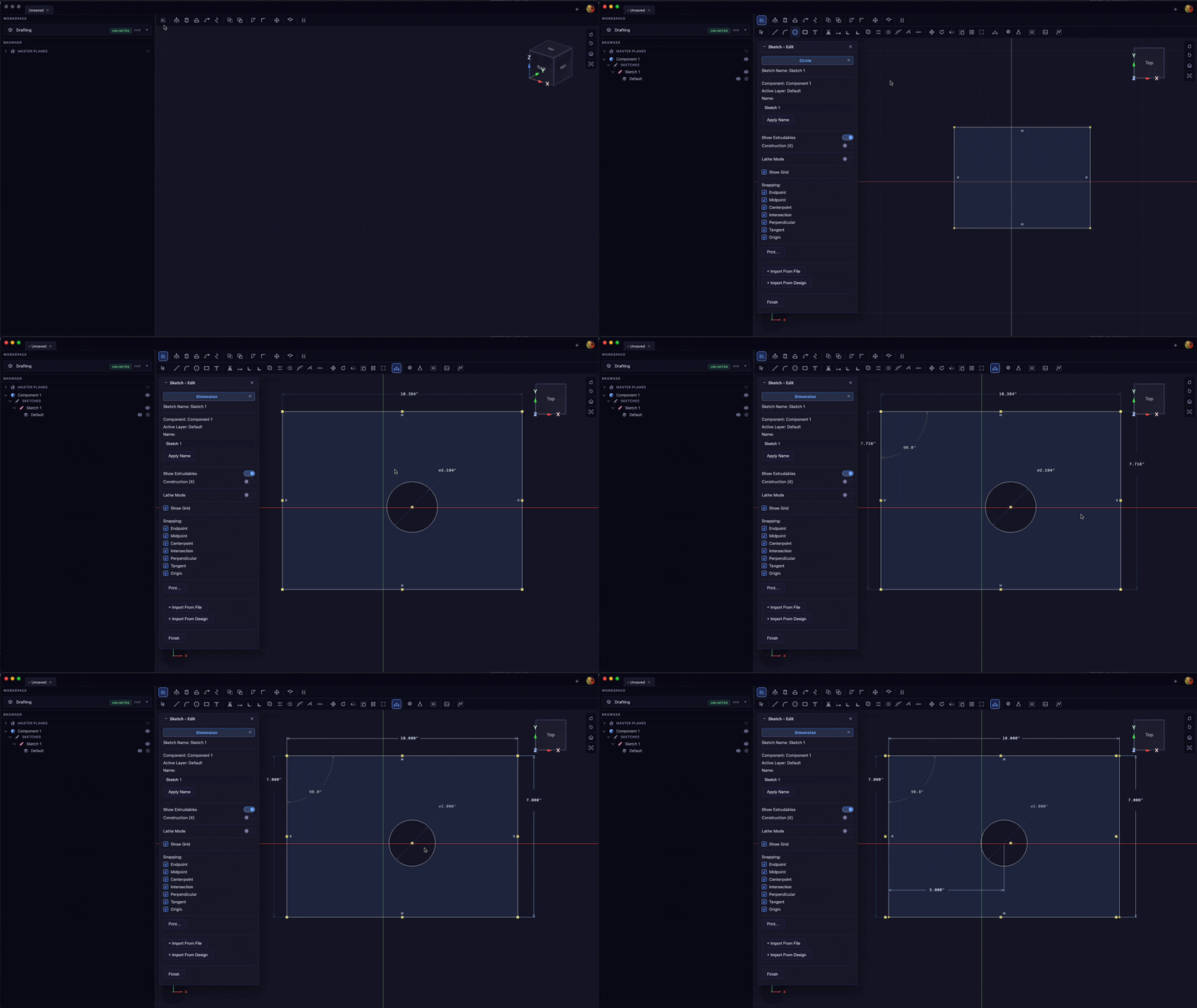
I also have a bunch of videos planned for the drafting workspace. Keep an eye out for them on on the Videos page here on the website or on YouTube (The videos page mirrors the YouTube channel)
Hello Arlin,
I just wanted to touch base about this to see if my last comment answered your question or if you need any further help.
If I don't hear back in a day or so, I'll mark this as closed.
That's fine. Its a feature I wouldn't want to be without if I am going to switch up CAD, that's all. It's up to you whether or not you would like to implement it.
I'm really confused. I'm more than happy to add new features but my first response to the issue was an animated GIF demonstrating how to do the very thing you asked about. As far as I can tell you're asking about the ability to dimension drafting sketch entities and then constrain them parametric with a linear or angular dimension. You just add the dimension in the drafting sketch, then double click them. Please let me know if I'm misunderstanding your question but as far as I can tell the feature you requested is already present in JetCad3
Ok, so when you selected the rectangle tool and started drawing your first rectangle, if it would have popped up with two dimension boxes the second you started drawing your rectangle and you simply plug in your first dimension, tab and enter the next instead of first drawing the rectangle then needing to select the dimension tool, if that makes sense?
Sign in to leave a comment or vote.
Sign In