Lead-ins
Joel SteinerApr 214 comments
Two suggestions for lead-ins:
- Option to start in center of holes smaller than specified diameter
- Offer a tool to edit start position in case the lead-in lands at an inconvenient spot and it's desirable to manually edit this
4 Comments
I had my little list above numbered but the numbers didn't seem to make it through after posting. Anyhow, for #2, editing start points, I visualize this being as simple as selecting the Start Point Edit tool then clicking a spot along the cut path to specify "attach the lead-in right here."
I do use this feature routinely in the software I'm using presently.
I marked this as in-progress regarding hole leads for "on center". I'm gonna sit on this for a while because this would mean quite a restructure of the leads manager. Since leads are always thought of as in relation to inside and outside toolpaths, on "center" only applies for circles/holes not any geometry so it becomes a special case to handle. We already have lead over-rides which allows for custom positions as well as custom types with parameters for each. See here if you have not ran across this yet
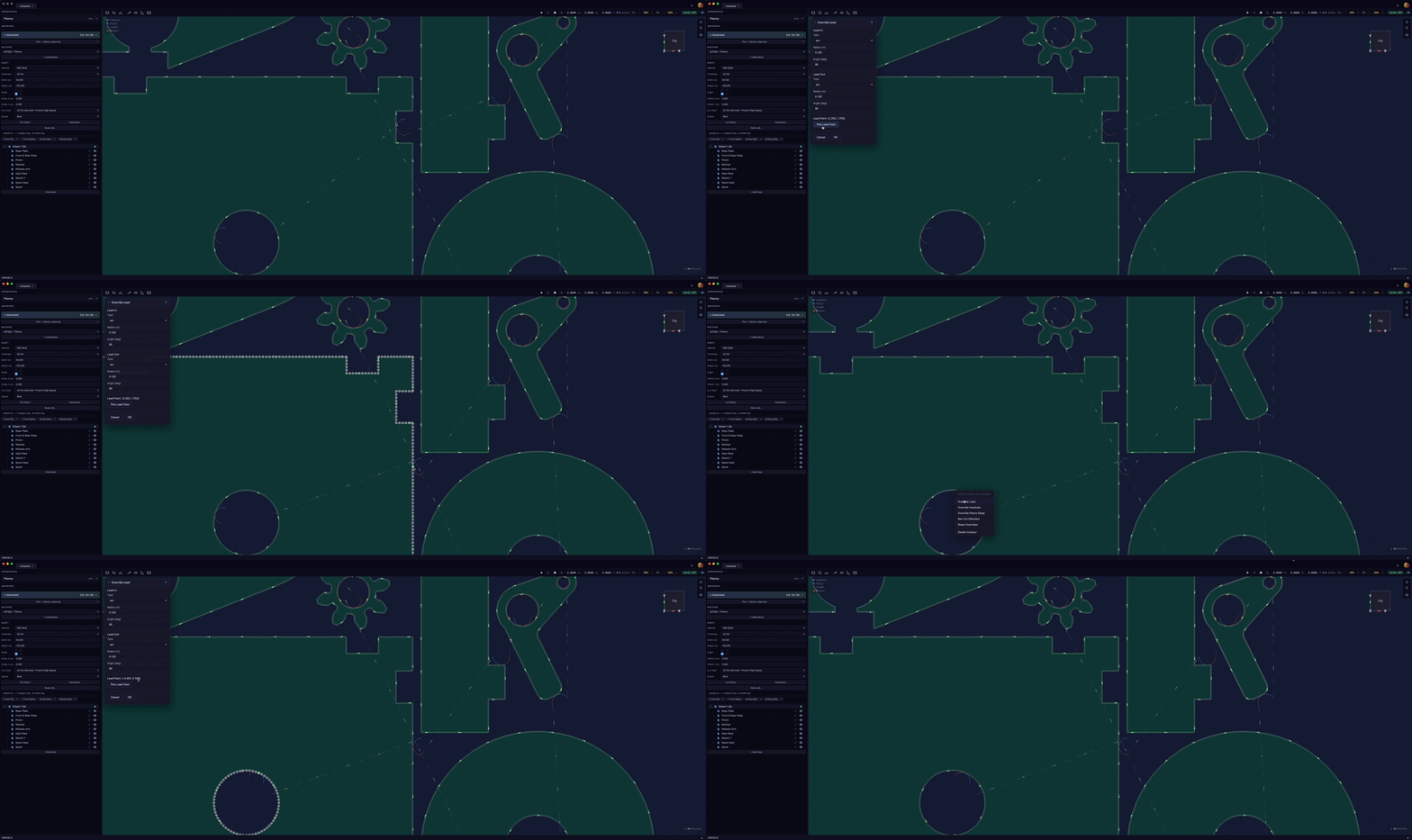
Ah, I missed the Override Lead Point picker available with right-click. That works for me.
--
Regarding the thing of starting in center of holes, see my other post about hole cutting. I'd prefer that over always starting in center. But it sounds like that would also require an overhaul because holes would be picked out and treated specially.
The V2.0.4 added automatic center pierce on holes that need it. The heuristic is that if arc leads get reduced to small when the pierce bleed check occurs on holes, it automatically switches to line leads where the lead-in and lead-out start and end at the holes circle. So naturally this is cut recipe determined, fine cut on thin material (smaller kurf) will be able to maintain arc leads in smaller holes than larger materials would. Marking this as closed
Sign in to leave a comment or vote.
Sign In