Auto nesting broken, Linux
Joel SteinerJun 1Edited8 comments
Latest version as of today -- auto nesting does nothing, no matter which effort I choose (any of the built-ins or custom efforts). This is on Linux only -- nesting works well on Windows.
Linux Mint with Cinnamon desktop, running JetCAD3 AppImage
8 Comments
showing 1–5 of 8Hmm, I'm gonna need more information on this. Linux build nests perfect on my Ubuntu setup which is the control computer for my plasma. It nests perfectly every time. Could you provide a screen recording possibly of it not working and also open Settings->Log and try to run a nesting effort with that log open, it will auto update and hopefully that will review something to go off of. If the log does show errors, you can attach the JetCad3.log file here (See Paths tab for log file path).
Hey Joel, I'm gonna mark this as closed to get it off my backlog. I've tested nesting on six Linux machines now including on a Raspberry Pi running latest Rasbian OS. Nesting always works in Linux. It has to be something strange and specific to your machine and once you get me the Log file I can further diagnose this. Once you have time to get back on this, we can open this up again and figure out whats going on.
Well this sounds related :)
- [Jun 1, 2026 @ 8:33:39AM] [ERROR] […derer/assets/index-CS89Gjiu.js:4867] [renderer] [Plasma] Auto-nest failed: TypeError: Cannot read properties of undefined (reading 'material')
Need to run along now, can test more later sometime.
edit: After importing my machine, JetCAD reports that nesting happened successfully.
However, (and I'm not sure which version this showed up), my view in Linux isn't quite right. The view of the sheet is missing, so I don't see parts, nest, sheet, nothing. Note that the 3D orbit cube is also missing, upper right.
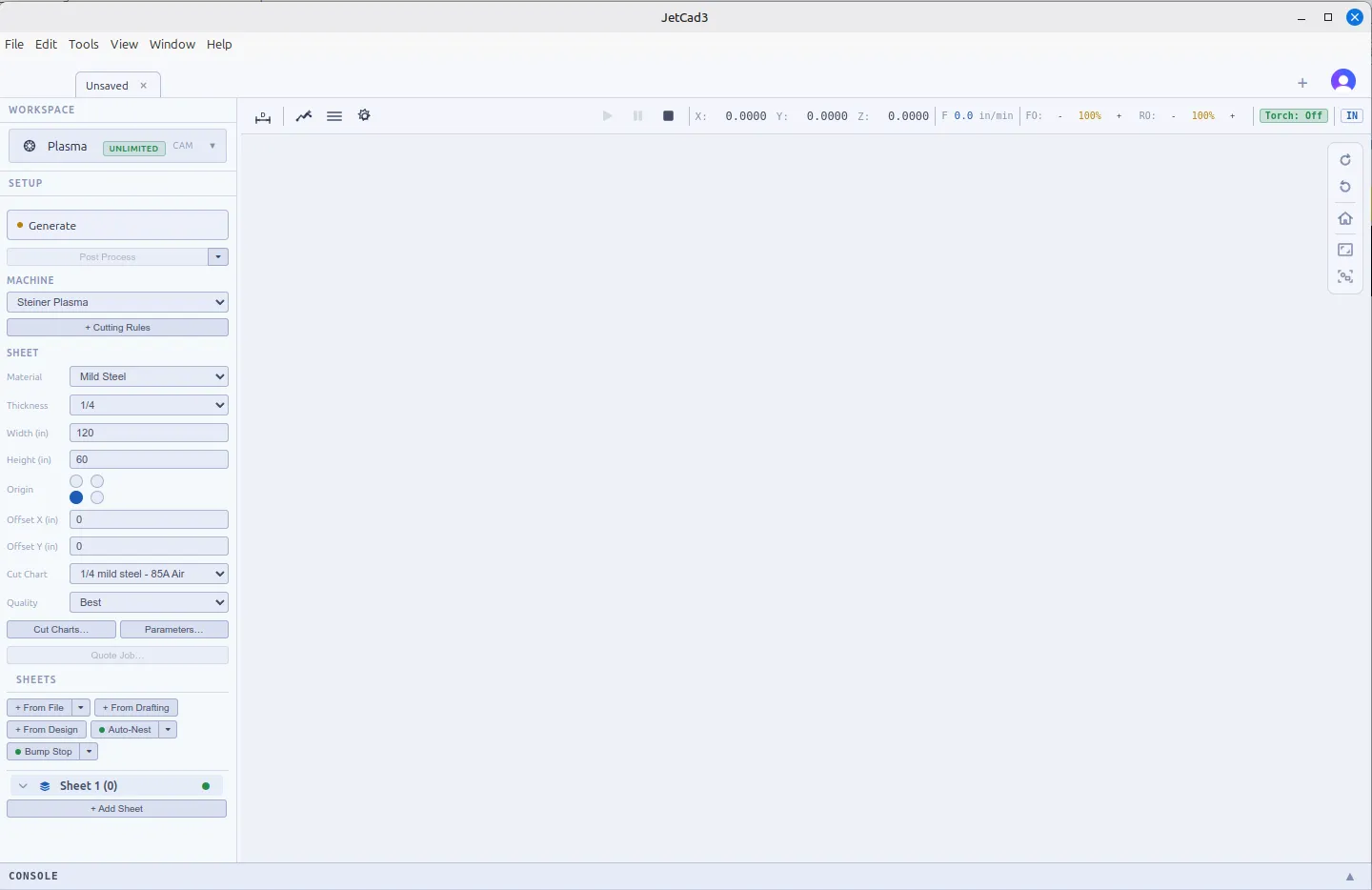
Well well, I declare, typical computer tech. Talking about problems makes them go away.
I updated to latest version, reloaded program 2 or 3 times, and my sheet view is back. Nesting is working. Leave this issue closed until further notice.
Sign in to leave a comment or vote.
Sign In